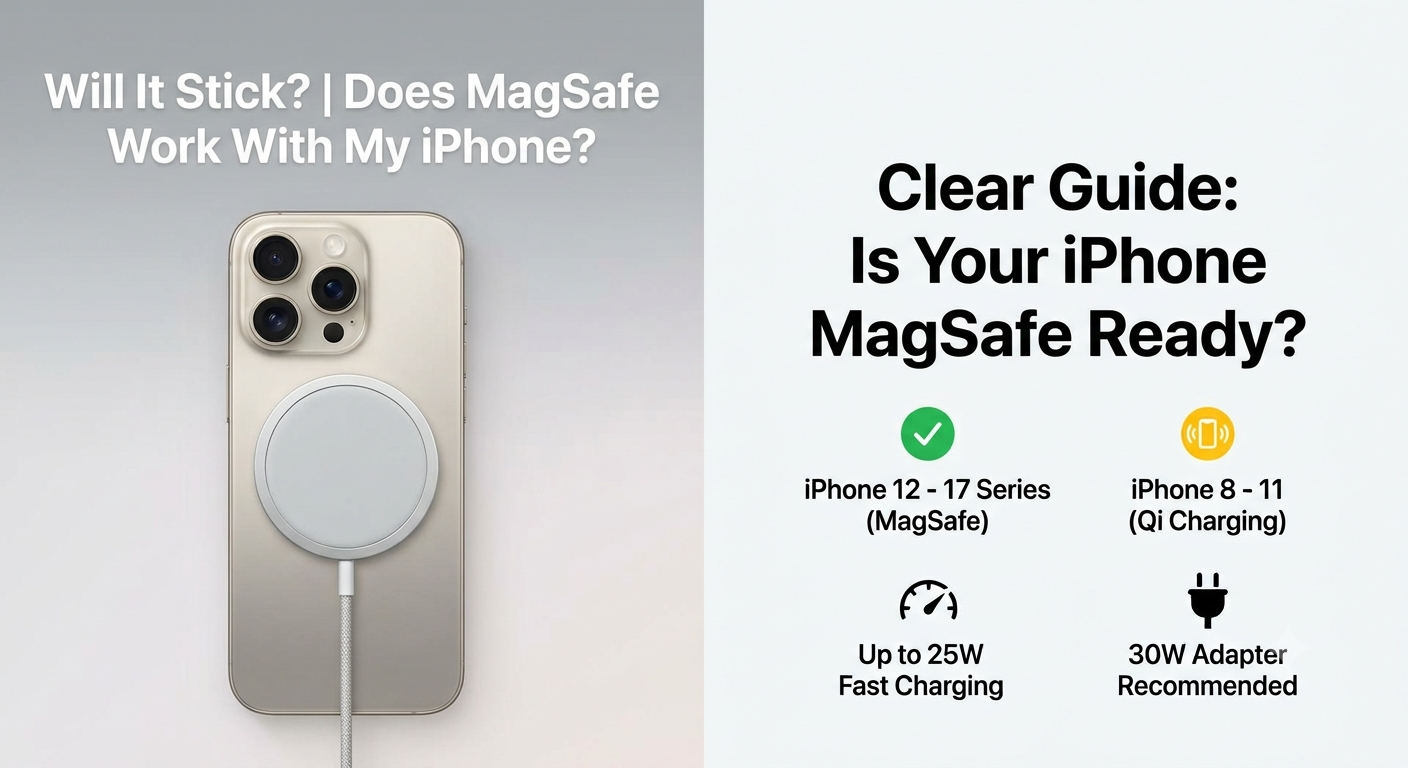
Does MagSafe Work With My iPhone? Wireless Charging Compatibility Guide
Thinking about buying an official Apple MagSafe charger but not sure if it will actually stick to your phone and charge it fast?
You are in the right place. The quick answer is that it safely charges almost every single iPhone from the older iPhone 8 all the way up to the newest models. However, only certain models have the physical magnets inside to snap the charger automatically into place. On older devices, it just acts like a typical, flat wireless charging pad that can easily slide off.
Let’s look at exactly how MagSafe works with your specific iPhone model, what speeds you will get, and the exact plug you need to make it work properly.
Which iPhones Support MagSafe? Quick Compatibility & Charging Speed Table
| iPhone Model Series | Magnetic Snapping? | Max Wireless Speed | Required Wall Adapter |
| iPhone 16, 17 Series & iPhone Air | Yes (Built-in Magnets) | Up to 25W (Qi2 Certified) | 30W USB-C Power Adapter |
| iPhone 12, 13, 14, and 15 Series | Yes (Built-in Magnets) | Up to 15W (Standard MagSafe) | 20W USB-C Power Adapter |
| iPhone 8 through iPhone 11 Series | No (Lacks Internal Magnets) | Up to 7.5W (Standard Qi) | 20W USB-C Power Adapter |
| AirPods Pro (All), AirPods 3 & 4 | Yes (On MagSafe case variants) | Optimized for AirPods | 20W USB-C Power Adapter |
Which iPhones Support MagSafe?
You do not need any special cover or case if you own any of these phones. The round MagSafe disc will snap directly onto the bare back of your phone:
iPhone 17 Series: iPhone 17, 17 Pro, 17 Pro Max, 17e, and the ultra-slim iPhone Air.
iPhone 16 Series: iPhone 16, 16 Plus, 16 Pro, and 16 Pro Max.
iPhone 15 Series: iPhone 15, 15 Plus, 15 Pro, and 15 Pro Max.
iPhone 14 Series: iPhone 14, 14 Plus, 14 Pro, and 14 Pro Max.
iPhone 13 Series: iPhone 13, 13 mini, 13 Pro, and 13 Pro Max.
iPhone 12 Series: iPhone 12, 12 mini, 12 Pro, and 12 Pro Max.
If your phone is on this list, your hardware is fully optimized for magnetic accessories out of the box.
The Two Types of Apple MagSafe Chargers
Apple has made two different generations of this charger. It helps to know which one you are buying:
Older 1st Gen Model (15W): This version has a smooth white rubber wire. It maxes out at 15W speed and is built for older models like the iPhone 12, 13, or 14.
Newer 2nd Gen Model (25W): This upgraded model comes with a premium braided fabric wire (available in 1-metre and 2-metre lengths). If you pair it with a 30W adapter, it can fast-charge the newer iPhone 16 and 17 series up to 25W—which gets you to 50% battery in about 30 minutes.
Can iPhone 8, X, XR and 11 Use MagSafe?
If you have an iPhone 11, iPhone XR, iPhone X, or iPhone 8, you can still use the MagSafe charger to juice up your battery. It uses the standard wireless charging system that these older phones support.
But there are two big downsides:
It won’t stick: There are no magnets inside these older phones, so the charger will just slide off if you pick up the phone. It has to lie completely flat on a table.
It charges slowly: The speed drops down to 7.5W, which takes a long time to charge a full battery.
(Tip: If you want a MagSafe charger to stick to your iPhone 11, you will have to buy a special third-party MagSafe case with magnets built into the cover itself).
Which Wall Adapter Do You Need for MagSafe?
The speed of your wireless charging setup comes down to the actual wall plug you use. If you plug a fast wireless cable into a weak, old power brick, your phone will charge very slowly.
Here is exactly which wall adapter you need to get the best speeds:
For the Fastest 25W Speed (iPhone 16, 17, and iPhone Air): If you own one of these newer phones and have the 2nd Gen braided wireless charger, you must pair it with an authentic 30W USB-C Power Adapter. This setup is fast enough to fill your battery up to 50% in roughly 30 minutes.
For Standard 15W Fast Speed (iPhone 12, 13, 14, and 15 Series): If you are using any of these slightly older phones, a standard 20W USB-C Power Adapter is all you need. The hardware inside these specific models cannot absorb more than 15W wirelessly, so buying a larger 30W adapter won’t make them charge any faster.
Helpful Links and Reading for Pakistani Buyers
When shopping for wireless gear locally, clone copies and counterfeits are incredibly common. Before spending your money, read our step-by-step Apple MagSafe Charger Original vs Fake Guide to discover how to identify high-copy fakes using physical design details and iOS settings logs.
To make sure you aren’t overpaying at local mobile markets, check out the latest verified rates via our updated Apple Wireless Charger Price in Pakistan Entry. If you want a closer look at technical power delivery, explore our Apple MagSafe 15W vs 25W Charger Comparison, or see our list of the Best MagSafe Accessories to Buy in Pakistan to find reliable magnetic desk stands, wallets, and car vents.
To skip the stress of unverified stock completely, you can order 100% genuine, imported global inventory directly from the Apple MagSafe Charger 25W 2nd Gen Product Page.
Frequently Asked Questions
Q1: What exactly is the Apple MagSafe Charger compatible with?
It snaps magnetically to the back of the iPhone 12 through iPhone 17 series (including the iPhone Air) and works with MagSafe-compatible AirPods cases. It also charges older models like the iPhone 11 or Android devices, but it won’t stick to them.
Q2: Can the iPhone 13 or iPhone 14 use MagSafe?
Yes, absolutely. Both phone series have internal alignment magnets built into the glass back. They charge at a solid 15W speed when plugged into a proper 20W USB-C adapter.
Q3: Can I charge my phone with a normal, standard mobile cover on?
No. Traditional silicone, leather, or thick plastic cases block and dampen the internal magnetic connection, causing the charger to slip off. You need to use a dedicated case that features the visible white circle ring on the back.
Q4: Is a MagSafe charger faster than a normal plugin cable?
No. A high-quality Type-C cable plugged directly into your phone’s port is more energy-efficient, produces less heat, and will always charge your phone faster than any wireless pad.
Q5: Can I use this pad to charge my Apple Watch?
No. The Apple Watch uses a completely different, smaller magnetic charging system. Setting an Apple Watch on a regular phone MagSafe charger will not supply power.
Q6: Why is my MagSafe charger disconnecting or running slowly on my iPhone 13?
This almost always happens because your wall adapter isn’t powerful enough. Make sure you aren’t using an old 5W or 12W brick; you need a high-quality USB-C adapter that outputs at least 20W or higher.
Q7: Is the iPhone 13 too old to buy MagSafe gear for?
Not at all. The size and shape of the magnetic ring inside the iPhone 13 is identical to newer models. All modern car mounts, magnetic wallets, and wireless power banks work perfectly fine with it.
Q8: Does using a wireless MagSafe charger ruin my battery health?
Wireless charging naturally creates a small amount of ambient warmth, which is normal. However, cheap fake copies do not have proper temperature control and can get hot enough to severely damage your phone’s battery over time. Always stick to original hardware.
Q9: Should I buy the 1-metre or the longer 2-metre version?
The standard 1-metre version is fine if it’s just sitting on your nightstand or office desk. If you want to use your phone comfortably while relaxing in bed or on the couch while it juices up, go for the longer 2-metre braided version.
Q10: Where can I buy a verified, original MagSafe charger in Pakistan?
To guarantee you get 100% genuine global stock accompanied by a local check warranty, you can buy safely from the Apple Mart Pakistan MagSafe Collection or browse our secondary platform at the Apple Store MagSafe Catalogue.